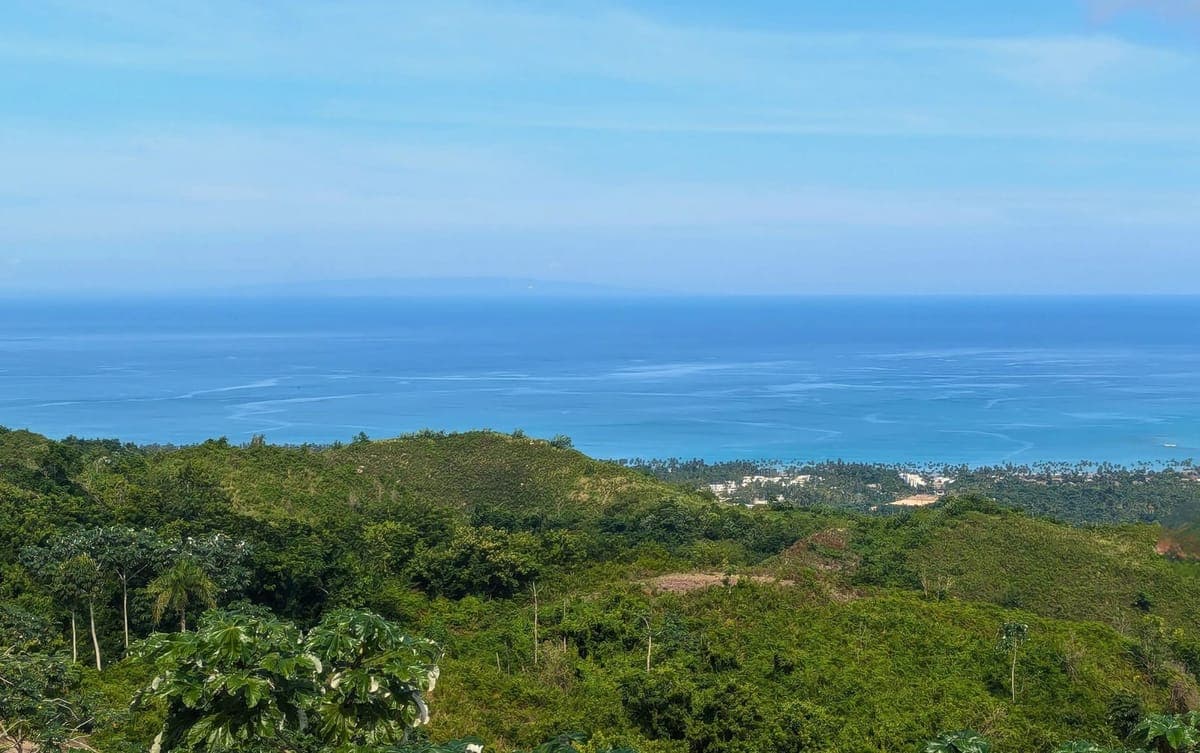
Thinking about working remotely from Las Terrenas? Here's everything you need to know about internet speeds, reliability, ISP options, and backup solutions in 2026.
Can You Really Work Remotely from Las Terrenas?
Are you tired of staring at the same home office walls while dreaming of Caribbean beaches? If you're a remote worker considering Las Terrenas, you're probably asking the most critical question: Is the internet actually good enough to work from paradise?
I get it — you've heard the horror stories about "island internet." Maybe you're worried about dropping off important Zoom calls or missing deadlines because of spotty connectivity. The good news? Las Terrenas in 2026 is light-years ahead of where it was even five years ago.
In this guide, I'll walk you through the current state of internet connectivity in Las Terrenas, real-world speed test results from our community members, ISP options, backup solutions, and exactly what you need to work reliably from this Caribbean paradise. By the end, you'll know if Las Terrenas can support your remote work lifestyle — and how to set yourself up for success.
What's the Real Internet Situation in Las Terrenas?
Let's address the elephant in the room: Dominican Republic internet has historically had a mixed reputation. But here's what's changed.
Las Terrenas has undergone a massive infrastructure upgrade over the past three years. With over 6,000 international residents — including 800+ German IT professionals and hundreds of North American digital nomads — the demand for high-quality internet has driven significant investment in connectivity infrastructure.
Today, you can expect:
- Fiber optic networks covering 85% of Las Terrenas town
- Download speeds of 100-300 Mbps for residential connections
- Upload speeds of 20-50 Mbps (sufficient for video calls and cloud work)
- 4G/5G mobile data as reliable backup with 20-40 Mbps speeds
- Starlink availability as ultimate backup solution
Real-World Speed Test Results
Here's what actual remote workers in Las Terrenas are experiencing in 2026:
Fiber connections (Claro/Altice):
- Download: 150-250 Mbps average
- Upload: 30-45 Mbps average
- Latency: 25-40ms to US servers
- Reliability: 98%+ uptime in town — fibre does not reach the hillside developments
Starlink (residential):
- Download: 100-200 Mbps
- Upload: 20-40 Mbps
- Latency: 30-50ms
- Weather impact: Minimal during typical conditions
Mobile data (Claro/Altice 4G):
- Download: 15-35 Mbps
- Upload: 5-15 Mbps
- Coverage: Excellent in town, good in hillside areas
ISP Options: Which Provider Should You Choose?
Las Terrenas has three primary internet service providers, each with different strengths. Here's the honest breakdown.
Claro (Recommended for Most Remote Workers)
Fiber plans:
- 100 Mbps: $40/month
- 200 Mbps: $65/month
- 400 Mbps: $95/month
Pros:
- Most extensive fiber network coverage
- Generally reliable in Las Terrenas area
- Good customer service with English-speaking support
- Easy installation (3-5 days typically)
Cons:
- Can experience slowdowns during peak evening hours (7-10pm)
- Installation may take longer in remote hillside areas
- Contract typically requires 12-month commitment
Best for: Remote workers in town or in developments where fiber has already reached the street.
Altice (Strong Alternative)
Fiber plans:
- 120 Mbps: $45/month
- 240 Mbps: $70/month
- 500 Mbps: $110/month
Pros:
- Competitive speeds and pricing
- Growing network with recent infrastructure investment
- Often better upload speeds than advertised
Cons:
- Smaller coverage area than Claro
- Customer service can be slower to respond
- May not be available in all hillside locations
Best for: Those in central Las Terrenas wanting competitive pricing with solid performance.
Viva (Budget Option)
Plans:
- 50 Mbps: $30/month
- 100 Mbps: $50/month
Pros:
- Most affordable option
- No-contract plans available
- Decent for basic needs
Cons:
- Slower and less reliable than Claro/Altice
- Limited coverage, primarily DSL not fiber
- Not recommended for heavy video calls or cloud work
Best for: Light internet users, backup connection only.
Starlink: Your Ultimate Backup Solution
Here's a question we hear constantly: "Do I really need Starlink in Las Terrenas?"
The answer depends on your risk tolerance and work requirements. Let me explain.
When Starlink Makes Sense
You should seriously consider Starlink if:
- You have critical deadlines that can't afford any internet downtime
- You're in a hillside location with no fibre service — including El Jamito, where Sienna is located, which is served by satellite (Starlink) or a local wireless provider
- You run a business where connectivity is mission-critical
- You want peace of mind knowing you have satellite backup
Starlink Performance in Las Terrenas
In 2026, Starlink has become increasingly popular among Las Terrenas remote workers:
Pricing:
- Hardware: $599 one-time (standard dish)
- Service: $120/month (residential plan)
- Portability add-on: $25/month (use anywhere in DR)
Real-world performance:
- Download speeds: Consistently 100-200 Mbps
- Upload speeds: 20-40 Mbps (improved significantly in 2025)
- Latency: 30-50ms (competitive with fiber for most applications)
- Weather resistance: Works through typical rain, only heavy storms cause brief disruptions
The bottom line: Starlink isn't essential for everyone, but it's the best insurance policy for serious remote workers in Las Terrenas.
Coworking Spaces: Community and Connectivity
What if you could combine reliable high-speed internet with an inspiring workspace and professional community? Las Terrenas now has several excellent coworking options.
Top Coworking Spaces in Las Terrenas
1. El Cowork
- Location: Downtown Las Terrenas
- Internet: 300 Mbps fiber + Starlink backup
- Pricing: $150/month full-time, $80/month part-time, $15/day drop-in
- Amenities: Private phone booths, meeting rooms, kitchen, AC
- Community: 40+ regular members, weekly networking events
2. Nomad Nest
- Location: Pueblo de los Pescadores area
- Internet: 200 Mbps dedicated business fiber
- Pricing: $120/month, $10/day drop-in
- Amenities: Beachfront location, outdoor workspace, coffee bar
- Community: Digital nomad focused, younger demographic
3. Remote Hub LT
- Location: El Limón (10 min from town)
- Internet: Dual ISP + Starlink (600+ Mbps combined)
- Pricing: $180/month premium (includes private office option)
- Amenities: Professional recording studio, podcast equipment, gym access
- Community: Entrepreneurial focus, business development workshops
Why Use Coworking When You Can Work from Home?
Good question. Here's what our community members say:
- Separation: working from your villa is excellent for a couple of weeks — after which most people want a boundary between work and paradise
- Networking: Meeting other international professionals has led to business opportunities and lasting friendships
- Backup location: When your home internet has issues (rare but it happens), you have an immediate backup workspace
- Professional environment: Important client video calls benefit from professional backgrounds
Mobile Data: Your Portable Office Solution
What if you want to work from the beach, a café, or while traveling around the island? Mobile data is your answer.
Mobile Carrier Options
Claro (Market Leader)
- 4G/5G coverage: Excellent in Las Terrenas, good island-wide
- Data plans: 25GB for $20/month, 50GB for $35/month, unlimited for $50/month
- Hotspot capability: Included in all plans
- Tourist SIM: Available at airport, $25 for 15 days unlimited
Altice
- 4G coverage: Good in Las Terrenas, improving elsewhere
- Data plans: 30GB for $18/month, 60GB for $32/month
- Slightly cheaper than Claro with comparable speeds in town
Viva
- Budget option with adequate coverage in major areas
- Not recommended as primary solution for remote work
Mobile Hotspot Strategy
Many remote workers use their phone as a tertiary backup connection:
- Primary: Home fiber (Claro or Altice)
- Secondary: Starlink
- Tertiary: Mobile hotspot (unlimited Claro plan)
This triple-redundancy approach means you're virtually guaranteed connectivity 99.9%+ of the time.
Building Your Remote Work Setup: A Practical Guide
So how do you actually set yourself up for remote work success in Las Terrenas? Here's your step-by-step roadmap.
Essential Setup (Minimum Requirements)
Internet:
- Primary ISP: Claro 200 Mbps fiber ($65/month)
- Mobile backup: Claro unlimited data plan ($50/month)
- Total monthly cost: $115
Equipment:
- Quality router (TP-Link AX3000 or similar): $80-120
- Surge protector/UPS battery backup: $100-150
- Mobile hotspot device (optional but recommended): $50
Total initial investment: $230-320 + $115/month
Professional Setup (Recommended for Critical Work)
Internet:
- Primary ISP: Claro 400 Mbps fiber ($95/month)
- Secondary ISP: Starlink ($120/month)
- Mobile backup: Claro unlimited ($50/month)
- Total monthly cost: $265
Equipment:
- Mesh WiFi system (covers larger villas): $200-300
- UPS battery backup (4-hour capacity): $250-400
- Network-attached storage for local backups: $150-250
- Professional webcam and microphone for video calls: $150-250
Total initial investment: $750-1,200 + $265/month
At Sienna: Built-In Advantages
If you're considering investing in a Sienna villa, you'll benefit from infrastructure designed with remote workers in mind:
- Starlink compatible: Roof installations designed for satellite dishes
- Mesh WiFi infrastructure: Coverage throughout even the largest villas
- Backup power: Solar-ready systems provide internet continuity during outages
- Dedicated work zones: Villa floor plans include home office spaces
In Sienna's Zone 1, the practical setup is Starlink on the roof — installed in a day, working from the day you move in.
Troubleshooting Common Connectivity Issues
Even with the best setup, you might encounter occasional challenges. Here's how to solve them quickly.
Slow Speeds During Peak Hours
Problem: Your connection slows down between 7-10pm.
Solutions:
- Schedule bandwidth-intensive work (large uploads, video rendering) for off-peak hours
- Upgrade to higher-tier plan (often $20-30/month provides significant improvement)
- Consider business-class service if available in your area (prioritized traffic)
- Use Starlink during peak hours if you have dual-ISP setup
Weather-Related Outages
Problem: Internet drops during heavy rain or storms.
Solutions:
- Fiber connections are generally weather-resistant (outages more likely due to power issues)
- Starlink can handle normal rain but may struggle with very heavy storms
- Keep mobile hotspot charged and ready as backup
- UPS battery backup keeps your router running during brief power interruptions
Installation Delays
Problem: ISP quoted 5 days but it's been 2 weeks.
Solutions:
- Order internet before you arrive if possible (have property manager or lawyer assist)
- Have Starlink shipped to your property as backup (can be active within hours of arrival)
- Use coworking space or mobile hotspot during transition period
- Follow up persistently but politely — escalate to English-speaking customer service
Video Call Quality Issues
Problem: You look great but clients are pixelated or audio cuts out.
Solutions:
- Connect via ethernet cable instead of WiFi (dramatically improves stability)
- Close bandwidth-intensive applications (cloud syncing, streaming, large downloads)
- Schedule important calls during off-peak hours (mornings especially good)
- Test your connection at speedtest.net — you want 5+ Mbps upload minimum for HD video
What Remote Workers Are Actually Paying
Let's talk real numbers. Here's what different types of remote workers spend on internet connectivity in Las Terrenas:
Budget Remote Worker (Occasional video calls, flexible schedule):
- Claro 100 Mbps: $40/month
- Mobile backup: $20/month
- Total: $60/month
Standard Remote Professional (Regular video calls, cloud work):
- Claro 200 Mbps: $65/month
- Claro unlimited mobile: $50/month
- Coworking drop-ins: $40/month
- Total: $155/month
Mission-Critical Setup (Business owner, team management, critical deadlines):
- Claro 400 Mbps: $95/month
- Starlink: $120/month
- Mobile unlimited: $50/month
- Coworking part-time: $80/month
- Total: $345/month
vs. North America: These costs are comparable to or lower than US/Canadian ISP pricing, while providing dual or triple redundancy that most North American setups lack.
The Community Perspective: What Real Remote Workers Say
You've seen the technical specs and pricing. But what about the lived experience? Here's what members of the Las Terrenas remote work community shared:
The consistent theme? Las Terrenas connectivity is no longer a gamble — it's a viable, reliable option for serious remote work, provided you set yourself up properly.
Your Next Steps: Making the Remote Work Dream a Reality
So can you really work remotely from Las Terrenas? Absolutely. The infrastructure is there, the community is thriving, and the lifestyle benefits are undeniable.
Here's your action plan:
- Assess your needs: How critical is connectivity to your work? What's your risk tolerance?
- Budget accordingly: Factor $100-350/month for internet depending on your setup
- Plan redundancy: At minimum, fiber + mobile backup. Ideally add Starlink for mission-critical work.
- Test before committing: Consider a 1-3 month trial stay before making a long-term investment
- Join the community: Connect with Las Terrenas remote workers through coworking spaces and expat groups
Interested in seeing how remote work lifestyle fits into the Sienna community? The simplest next step is to come and see it: the Discovery Tour is four nights in Las Terrenas with property visits and the legal and market sessions. Our team includes dozens of remote workers who've made the transition successfully — and we're happy to share real-world insights from your specific profession or industry.
The Caribbean remote work dream isn't just possible — it's happening right now in Las Terrenas. With the right setup and realistic expectations, you could be taking your next Zoom call with ocean views and palm trees in the background. The question isn't whether the internet can support your work. The question is: what's keeping you from making the leap?
Stay in the loop
Have questions about this?
Talk to our sales team directly — we'll answer on WhatsApp or by phone.
Written by
Sienna Terrenas Editorial Team
The Sienna Terrenas editorial team covers buying, owning, and living in Las Terrenas, Dominican Republic — from the purchase process and CONFOTUR tax strategy to villa construction and Caribbean community life, drawing on the team's on-the-ground experience in the area. Meet the Sienna Terrenas team.